VibePictureVibePicture
    HomePricing
    Log InSign Up

    Online tool

    Profile Card Generator

    Create your own 3D Twitter Profile Card

    Open Studio
    Profile Card Generator
    Online tool

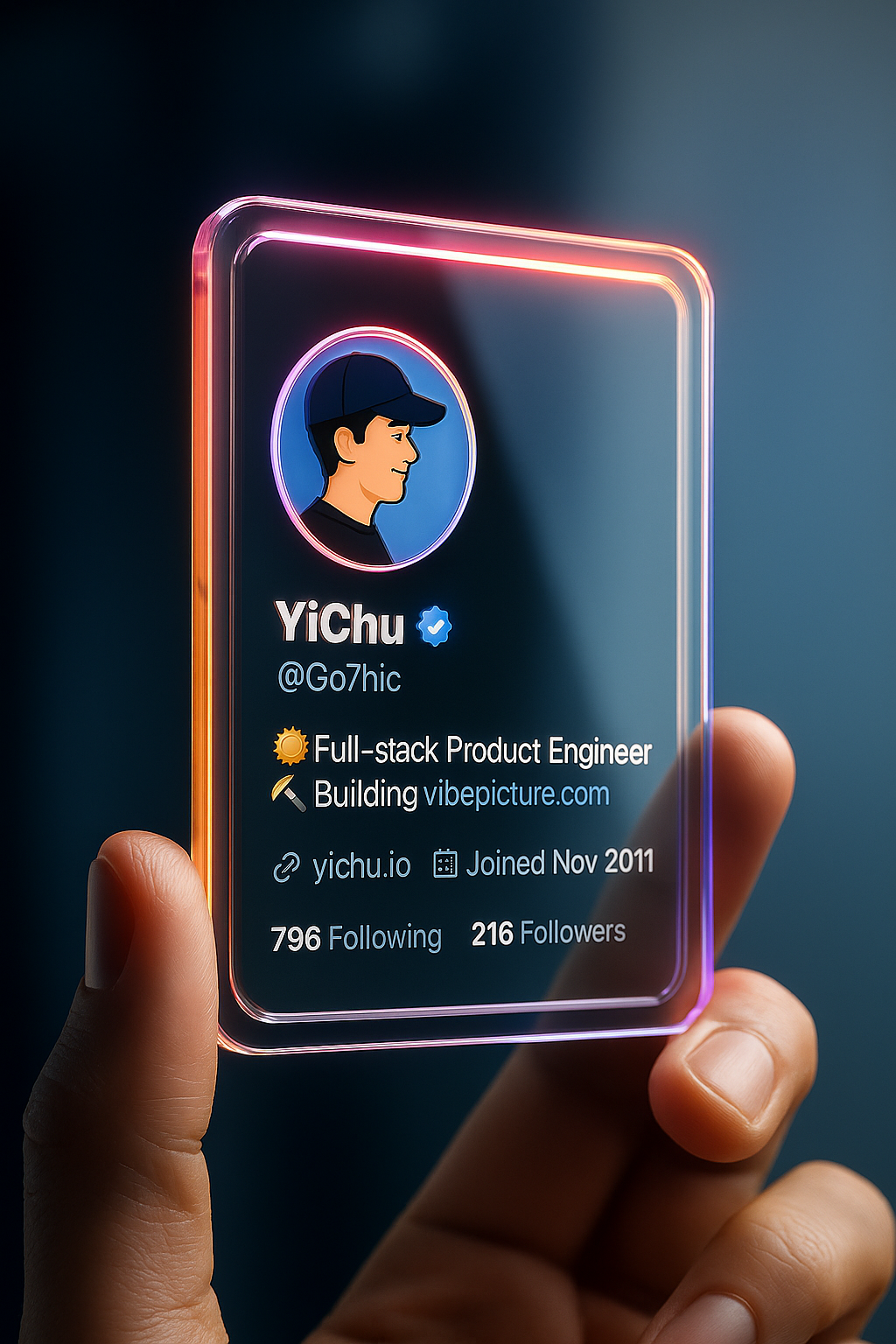
    Build a 3D-style profile card from a screenshot

    Profile card turns a social profile screenshot into a dimensional card. Upload the screenshot as the main image. A second image is optional. Use it for share stills, not as a replacement for the live profile page.

    Capture the profile, upload it, generate, and download. The how-to in the workspace spells out the screenshot layout that works best.

    What you can make

    Share cards

    A still you can post instead of a raw screenshot.
    Launch graphics

    A card for a product or personal brand announcement.

    Portfolio covers

    A designed header that still shows the handle and stats.

    Print keepsakes

    A card-sized frame of a milestone follower count.

    A clearer path from idea to output

    Learn what the tool does here, then create in a focused workspace built around the task.

    Screenshot in

    The first image should be the profile capture.

    Optional second still

    Add a supporting image when the how-to asks for it.

    Dimensional treatment

    The output is a designed object, not a flat crop.

    Download the card

    Use it in a post or a slide.

    Built for everyday visual work

    Account launches

    Announce a new handle with a designed still.

    Milestone posts

    Mark a follower count with a card.

    Speaker one-sheets

    Put a social card next to a bio.

    Fan graphics

    A keepsake of a public profile moment.

    Create in three steps

    1. 1

      Add a source image

      Drop, select, paste, or load the image URL in the central upload area.

    2. 2

      Review the setup

      Choose the available task and output options in the control rail.

    3. 3

      Process and export

      Review the result in the workspace, then download it or continue with another image.

    Related tools

    AI Hairstyle Designer

    AI Avatar Generator

    Text to Image

    Image to Image

    Frequently asked questions

    How is this page different from the workspace?+

    This page explains the tool and its use cases. The /app workspace is where creation happens.

    Do I need to upload an image?+

    Yes. This tool needs a source image, and the workspace supports file selection, drag and drop, paste, and image URLs.

    Which image formats are supported?+

    Image inputs generally support JPG, PNG, and WEBP. The upload area shows the exact limits.

    Can I reuse a result?+

    Yes. Download the result, revisit it from history, or use it as the next input where supported.

    What should I screenshot?+

    Follow the workspace how-to. A full profile header with avatar and stats works better than a cropped tweet.

    Is this an official X card?+

    No. It is a generated graphic from your screenshot.

    What quality can I expect?+

    Quality depends on the model and settings in the workspace. Download the result, then run again with a different prompt, model, or size if you need another take.

    Do I need an account?+

    You can read this page without signing in. Creating in the workspace uses credits and requires an account.

    Can I use the result in my work?+

    Download the file you generate and use it in your projects. Read the current terms if you need commercial-use details.

    Ready to create?

    Open the VibePicture workspace and turn your idea into a usable visual.

    Open Studio
    VibePictureVibePicture

    Imagine. Generate. Master.

    Features

    • AI Text to Image
    • AI Image to Image
    • AI Image to Video
    • Idiom Illustration
    • AI Sticker Generator
    • AI Hairstyle Generation
    • Profile Card Generator
    • ChatGPT Image Styles Generator
    • ChatGPT Image Styles Transformer
    • AI Avatar Generator
    • Studio Ghibli Style Generator

    AI Models

    • Free AI Model
    • Nano Banana Pro
    • Nano Banana
    • Nano Banana 2
    • Seedream v4.5
    • Seedream v5
    • GPT-Image-1.5
    • GPT-Image-2
    • GPT-Image-2.5
    • Qwen Image 2
    • FLUX.2 [pro]

    Image Tools

    • Gemini Watermark Remover
    • Background Remover
    • Image Outliner
    • AI Object Removal Tool
    • AI Image Upscaler
    • Bead Art Maker
    • Background Studio

    About

    • Dashboard
    • Image Tools
    • About Us
    • Contact Us
    • Terms of Service
    • Privacy Policy
    • Cookie Policy

    Resources

    • Nano Banana Prompt
    • Seedream v4.5 Prompt
    • GPT Image 2 Prompt
    • Blog
    • FAQ
    • Changelog
    • vs Midjourney
    • vs ChatGPT Images
    • X(Twitter)

    © 2026 VibePicture. All rights reserved.

    EN|
    CN|
    JA|
    KO|
    FR|
    ES|
    DE|
    VI|
    RU