
GPT Image 1.5 is Now Live - Enhanced Image Editing with Better Preservation and Lower Costs
Table of Contents
- What's New in GPT Image 1.5?
- 🎯 Stronger Image Preservation
- 📝 More Reliable Instruction Following
- ✍️ Better Text Rendering
- 💰 20% Lower Costs
- ⚙️ Quality Parameter Optimization
- Top Use Cases
- 🛍️ Ecommerce & Retail
- 📢 Marketing & Brand
- Comparison: GPT Image 1 vs. GPT Image 1.5
- How to Access GPT Image 1.5
- Pricing
- Experience Enhanced AI Image Editing
We are thrilled to announce the launch of GPT Image 1.5, our enhanced AI image generation and editing model! Building upon the success of GPT Image 1, this new version delivers significant improvements in image preservation, instruction following, text rendering, and cost efficiency.
What's New in GPT Image 1.5?
GPT Image 1.5 represents a major advancement in AI-powered image editing capabilities. Here are the key improvements:
🎯 Stronger Image Preservation
One of the most significant upgrades is the model's enhanced ability to preserve key visual elements during edits. GPT Image 1.5 excels at maintaining:
- Faces: Better facial feature preservation across multiple edits
- Logos: Consistent brand logo rendering throughout image transformations
- Key Visual Elements: Improved retention of important visual components during editing operations
This makes it ideal for workflows that require maintaining visual consistency across multiple variations.
📝 More Reliable Instruction Following
GPT Image 1.5 follows instructions more reliably than our initial version. This enables:
- More Precise Edits: Execute complex editing instructions with greater accuracy
- Intricate Original Compositions: Create more detailed and sophisticated original images from scratch
The improved instruction adherence means you can achieve your creative vision with fewer iterations and more predictable results.
✍️ Better Text Rendering
The model has been significantly improved in text rendering capabilities, particularly:
- Denser Text: Better handling of text-heavy compositions
- Smaller Text: Improved legibility for smaller text elements
- Overall Quality: Enhanced text integration into generated images
This makes GPT Image 1.5 perfect for creating marketing materials, posters, and other designs that require text elements.
💰 20% Lower Costs
GPT Image 1.5 offers 20% lower cost on image inputs and outputs in the API compared to GPT Image 1. This means:
- Generate more images on the same budget
- More cost-effective for high-volume workflows
- Better value for professional use cases
⚙️ Quality Parameter Optimization
You can further optimize workflows for cost by using the quality parameter:
- Low Quality: Free - Perfect for quick iterations and testing
- Medium Quality: 1 credit - Great balance of quality and cost
- High Quality: 3 credits - Premium results when you need the best
The quality parameter delivers strong performance for the price even when set to low, making it an excellent choice for budget-conscious projects.
Top Use Cases
GPT Image 1.5 is particularly well-suited for:
🛍️ Ecommerce & Retail
Generate multiple product visuals from a single source image with consistent face preservation as items like clothing or accessories change. Perfect for:
- Product catalog creation
- Style variations
- Seasonal campaigns
- A/B testing different product presentations
📢 Marketing & Brand
Create posters, ads, slides, and other brand assets with more consistent logo, brand, and object preservation. Ideal for:
- Brand campaign materials
- Social media content
- Presentation slides
- Advertising creatives
- Consistent brand visual identity across multiple assets
Comparison: GPT Image 1 vs. GPT Image 1.5
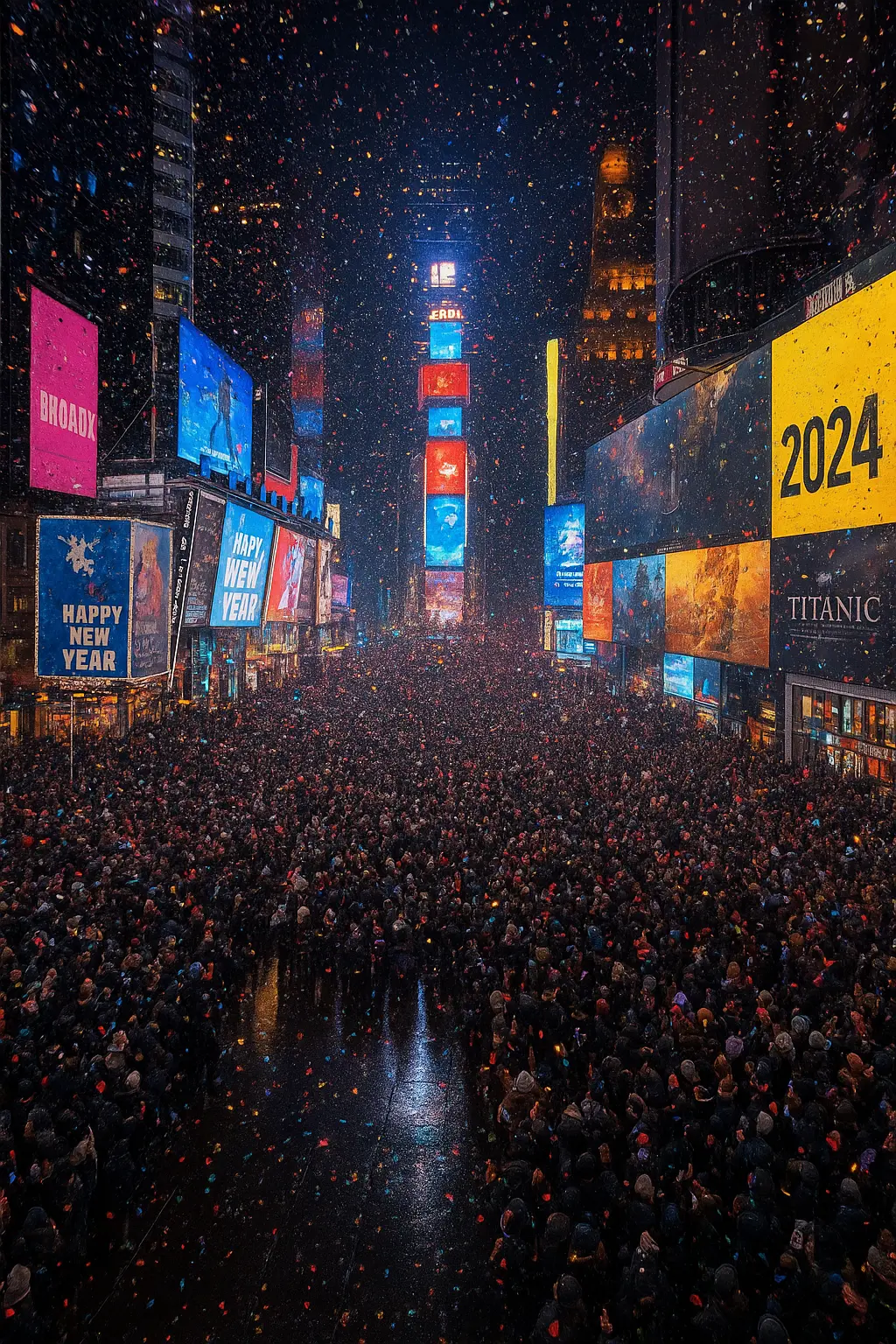
To see the difference, let's look at a direct comparison:
Prompt: "A highly detailed aerial view photo of Times Square on New Year's Eve, packed with crowds, glowing billboards, confetti in the air, and realistic reflections on wet asphalt at night"
| GPT Image 1 | GPT Image 1.5 |
|---|---|
 |
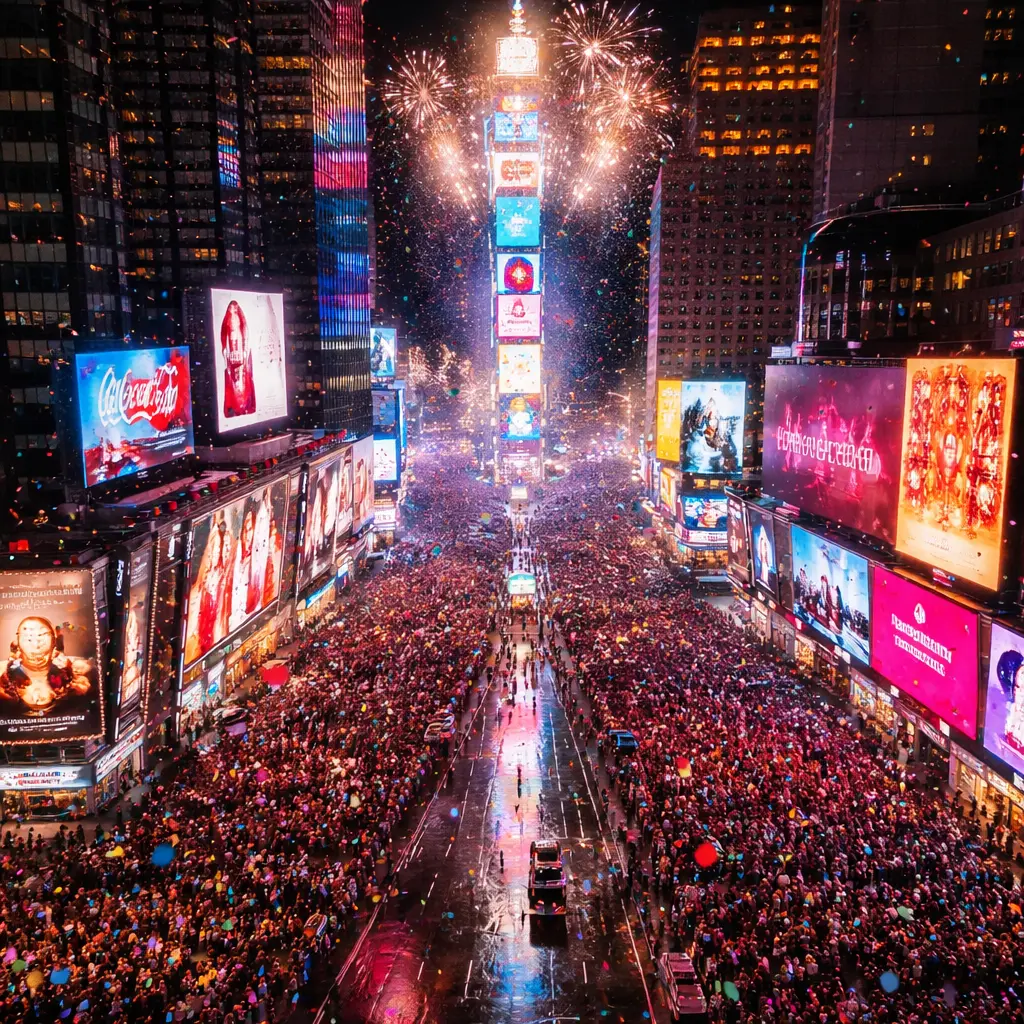 |
| Good overall quality with solid image generation capabilities. | Enhanced detail preservation, better text rendering on billboards, and improved consistency in complex scenes. |
How to Access GPT Image 1.5
GPT Image 1.5 is now available to all VibePicture users!
- Go to the GPT Image 1.5 generator.
- Upload your image or start with text-to-image generation.
- Use the Additional Settings to customize quality, image size, background, and output format.
- Start creating!
Pricing
- Low Quality: Free (1024×1024 only)
- Medium Quality: 1 credit
- High Quality: 3 credits
Note: Low quality is free and only supports 1024×1024 image size. For other sizes, use medium or high quality.
Experience Enhanced AI Image Editing
We believe GPT Image 1.5 will empower creators, marketers, and businesses to create stunning visuals with better consistency, lower costs, and more reliable results. Whether you're working on ecommerce product images, marketing campaigns, or brand assets, this new model offers the tools you need.
Try it out today and experience the difference!
Related Links:
Tags: #GPTImage15 #AIImageEditing #ImagePreservation #NewFeature #VibePicture #Ecommerce #Marketing