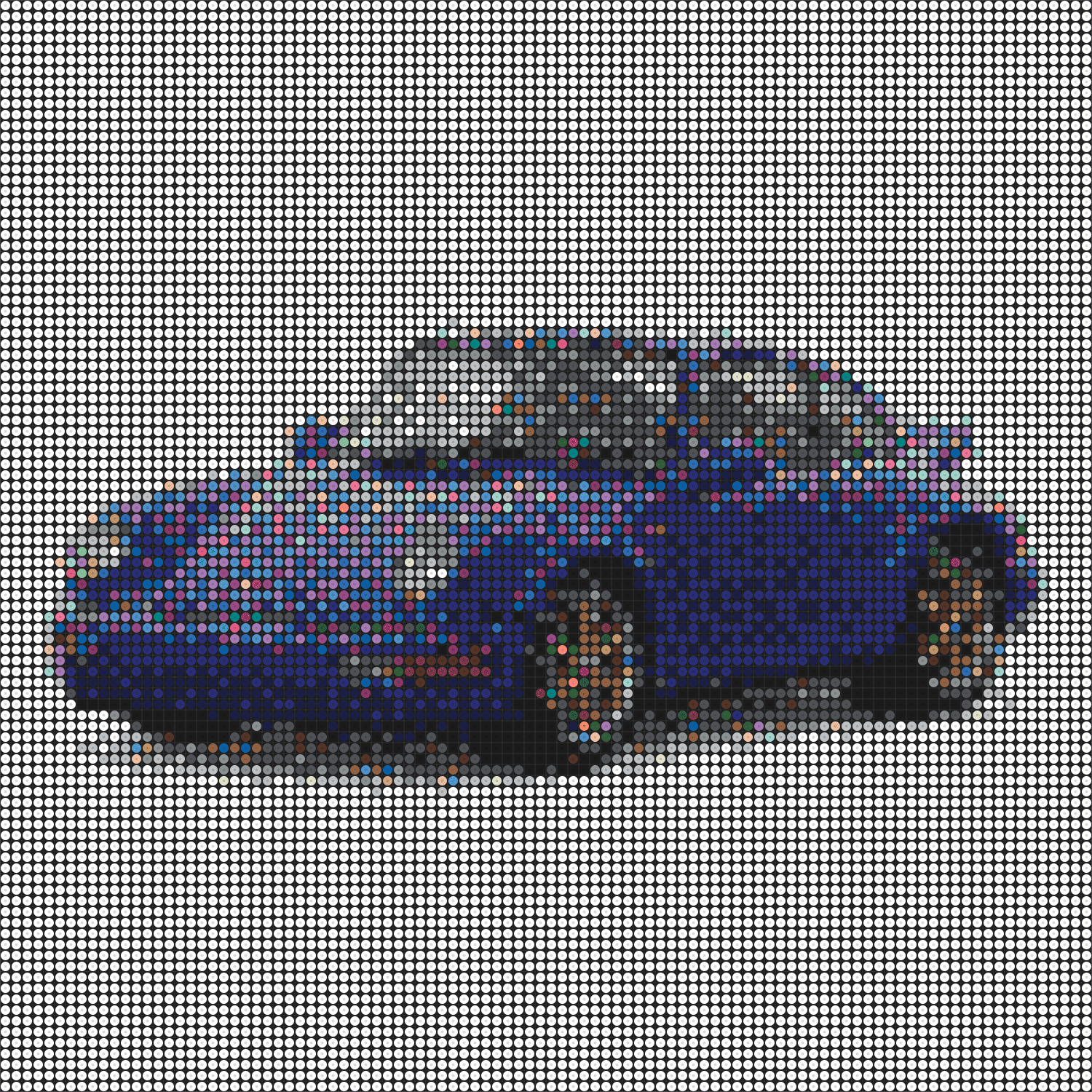
We're thrilled to introduce Bead Art Maker, a brand new tool that transforms any image into beautiful Perler bead patterns! Whether you're a crafting enthusiast, pixel art lover, or DIY hobbyist, this tool makes it incredibly easy to create bead art patterns from your favorite photos.
What is Bead Art Maker?#
Bead Art Maker converts one image into a bead chart and a count of each color. Width is 10 to 100 beads. Processing stays in the browser, and the chart does not use generation credits.
It does not export a keychain or avatar template. Physical size follows the palette pitch: a 30-bead-wide chart on a 5 mm palette is 15 cm wide. Make a series by repeating the same width and the same palette, one photo at a time.
Counts below are the colors shipped in the editor, not a brand's full catalog.
| Palette |
Pitch |
Colors |
| Perler |
5 mm |
117 |
| Hama |
5 mm |
89 |
| Artkal |
5 mm |
176 |
| MARD 221 |
5 mm |
221 |
| Artkal Mini |
2.6 mm |
221 |
| MARD 291 |
2.6 mm |
291 |
| COCO 291 |
2.6 mm |
291 |
Chinese pages default to MARD 221. Other pages default to Perler. Switch the palette in the editor before you download; the chart is quantized again for that set.
Open 拼豆图纸生成 or the bead pattern generator.
✨ Key Features#
- 🎨 Professional Color Matching - Uses CIEDE2000 color distance algorithm for the most accurate color matching
- 🖼️ Flexible Resolution - Adjustable grid size from 10 to 100 beads wide
- 🌈 Advanced Dithering - Optional Riemersma dithering for smoother color transitions
- 📋 Material List - Automatic generation of color counts and RGB values
- 📥 Instant Download - Download your pattern as a high-quality PNG
- 🔒 100% Private - All processing happens in your browser, no uploads required
- 🆓 Completely Free - No login, no credits, no limits
How It Works#
Step 1: Upload Your Image#
Simply click the upload area or drag and drop your image file. The tool supports JPG and PNG formats. For best results, choose images with:
- Clear subjects and good contrast
- Distinct color areas
- Simple compositions (especially for beginners)
Step 2: Adjust Settings#
Resolution Control
- Use the slider to set your grid size (10-100 beads wide)
- Higher resolution = more detail but more beads to make
- Recommended starting point: 30-40 beads for first projects
Dithering Option
Grid Lines
- Toggle grid lines on/off to see bead boundaries
- Helps with counting and alignment during physical creation
Step 3: Review Your Pattern#
The tool automatically:
- Pixelates your image to the selected resolution
- Matches colors to the Perler bead palette
- Applies dithering (if enabled) for smoother gradients
- Generates a visual preview with optional grid lines
Step 4: Download & Make#
- Download Pattern - Click the download button to save your pattern as PNG
- Check Material List - Review the detailed list showing:
- Color names
- RGB values and hex codes
- Exact bead counts needed
- Total colors and total beads
- Purchase Beads - Use the material list to buy the right quantities
- Start Creating - Follow the pattern to create your bead art!
Technical Excellence#
Advanced Color Quantization#
Bead Art Maker uses the image-q library with CIEDE2000 color distance algorithm, which is the most accurate color matching method available. This ensures that your bead colors will look as close as possible to your original image.
Professional Dithering#
When enabled, the tool uses Riemersma dithering (Hilbert space-filling curve), which provides superior results compared to traditional Floyd-Steinberg dithering:
- More natural color transitions
- Better preservation of image details
- Smoother gradients
Curated Color Palette#
Color counts are in the table above. Perler in the editor is 117 colors, not a short sample of 40. Match the downloaded material list to the same brand you buy.
Use Cases#
🎨 Personal Projects#
Create unique bead art from:
- Family photos
- Pet portraits
- Favorite characters
- Personal artwork
🎁 Gifts & Crafts#
Perfect for:
- Handmade gifts
- Home decorations
- Keychains and accessories
- Wall art
🎓 Educational Projects#
Great for:
- Teaching kids about colors and patterns
- Art classes
- STEM education (pixel art concepts)
- Fine motor skill development
💼 Small Business#
Use for:
- Custom merchandise
- Personalized products
- Craft business patterns
- Etsy shop designs
Pro Tips#
- Start Simple - Begin with lower resolutions (30-40 beads) for your first project
- Choose Good Images - Clear, high-contrast images with distinct subjects work best
- Plan Ahead - Check the material list before purchasing beads
- Use Grid Lines - Enable grid lines when making the physical artwork for easier counting
- Experiment - Try both with and without dithering to see which style you prefer
- 100% Browser-Based - All processing happens locally in your browser
- No Uploads - Your images never leave your device
- No Login Required - Use immediately without any account
- Fast Processing - Instant results even for high-resolution patterns
- Offline Capable - Works offline after initial page load
Get Started Today#
Ready to create your first bead art pattern? Visit our Bead Art Maker page and start transforming your images into beautiful Perler bead patterns!
Whether you're a seasoned crafter or just starting out, this tool makes it easy to bring your creative visions to life. Best of all, it's completely free to use!
Related Links:
Tags: #BeadArt #PerlerBeads #PixelArt #DIYCrafts #FreeTools #ImageProcessing #Crafting